


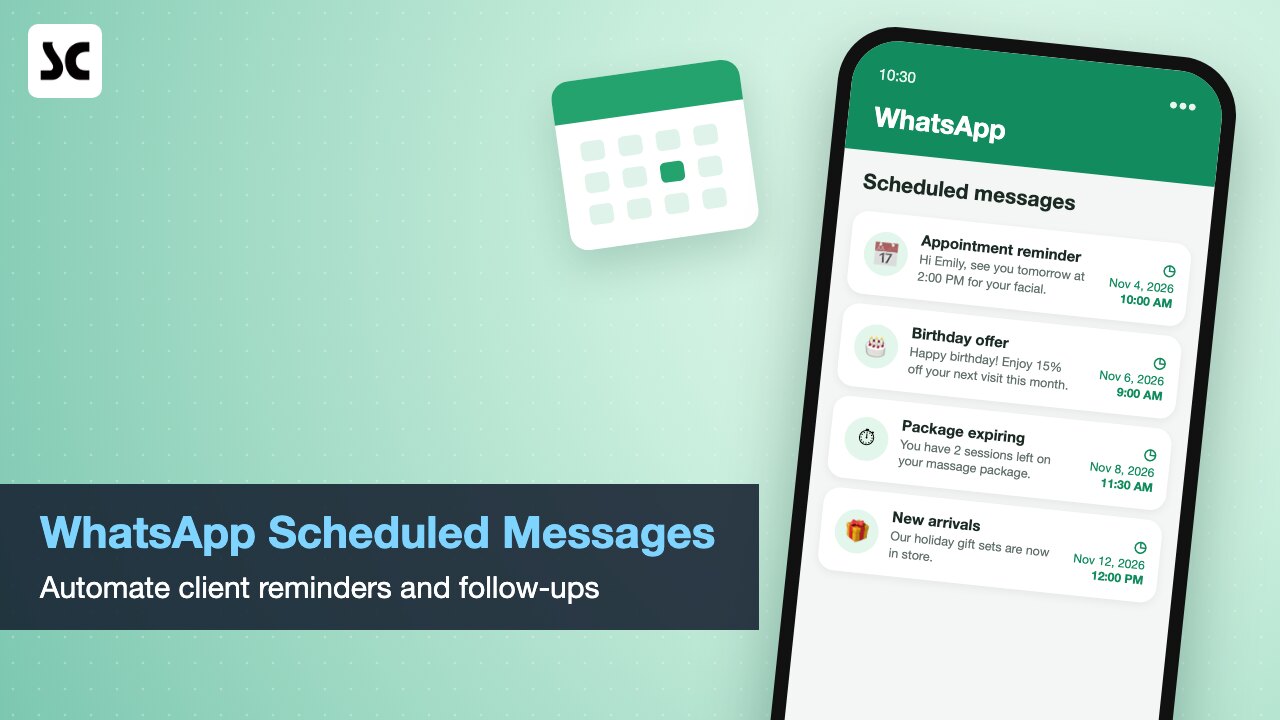
Have you ever remembered a client message late at night and held off because you did not want to wake them? Or meant to send a promotion on time and lost the moment because the shop got busy? WhatsApp scheduled messages solve exactly this. You write a message now, choose the date and time, and it goes out on its own. For small businesses in Toronto and across Ontario, it is a simple upgrade that can make client communication far more consistent.
What are WhatsApp scheduled messages?
Scheduled messages let you prepare a message in advance and set the exact date and time it should be delivered. Birthday wishes, appointment reminders, holiday promotions and follow-ups after a visit can all be planned ahead. Features can roll out gradually, so check the latest version of WhatsApp or WhatsApp Business on your phone to see what is available to you.
For owner-operators and small teams, time is money. Instead of sending messages one by one between clients, you can sit down once a week, plan the whole week of communication, and let it run in the background.
How Ontario businesses can use WhatsApp scheduled messages
The uses go well beyond the occasional reminder. Here are practical ideas for salons, spas, clinics and retail stores:
- Appointment reminders: send a reminder the day before each booking to cut no-shows and late cancellations.
- Birthday offers: schedule a birthday greeting with a small treat to build loyalty.
- Seasonal promotions: plan messages ahead of Lunar New Year, Mother’s Day, Thanksgiving, Black Friday, Christmas and Boxing Day.
- Package and membership follow-ups: remind clients when a treatment package or stored value is about to expire.
- New arrivals: let VIP customers know the moment a new product lands in store.
- After-care check-ins: follow up a few days after a facial, colour service or massage to ask how the client is feeling.
Done well, these messages save staff time and make a small business feel as organised and attentive as a large brand.
Tips for writing scheduled messages clients welcome
- Keep it short: one clear point per message, with the date, time and location if it is a reminder.
- Send at sensible hours: most clients prefer messages between 9 a.m. and 8 p.m. Eastern Time.
- Personalise: use the client’s name and mention the service they booked or the product they bought.
- Do not overdo it: a few useful messages a month beat daily promotions that get muted.
- Offer both languages: many GTA clients appreciate messages in English or Chinese, whichever they prefer.
Privacy and consent: CASL and PIPEDA
In Canada, promotional messages sent by text or instant messaging can count as commercial electronic messages under Canada’s Anti-Spam Legislation (CASL). In general, you need the client’s consent, you must identify your business, and you should give an easy way to opt out. Personal information such as phone numbers and birthdays is also covered by the Personal Information Protection and Electronic Documents Act (PIPEDA), so collect only what you need and keep it secure.
A simple habit helps: ask for WhatsApp consent at check-in or booking, record it in the client file, and remove anyone who asks to stop. This is general information, not legal advice, so check the official guidance or a professional if you are unsure.
From one-off messages to a system that follows up for you
Scheduling inside WhatsApp works well for a handful of messages. As your client list grows, the hard part is knowing who to message and when. That is where a POS and client management system helps.
Softcube’s systems for beauty salons, spas and retail stores produce a daily follow-up list showing today’s appointments, expiring packages, birthdays and outstanding balances, and support WhatsApp reminders based on that data. Every visit, package and purchase sits in the same client history, so your messages are always based on real information.
See how it works for your industry on our beauty salon and med spa system page. If you want to spot clients who are drifting away, read our customer churn report guide for practical tips.
Frequently asked questions
Can I schedule WhatsApp messages on WhatsApp Business?
WhatsApp has been adding scheduling features, but availability can depend on your app version and region. Update the app and check the chat options. For larger volumes, a business messaging setup or a POS with reminder features is usually more reliable.
Do I need consent to send promotions on WhatsApp in Canada?
In most cases, yes. Under CASL, commercial messages generally require express or implied consent, sender identification and an unsubscribe option. Appointment reminders for a service the client booked are usually treated differently from marketing, but it is good practice to get consent for both.
What is the best time to send a reminder?
For appointments, the afternoon before works well for most salons and spas, with a second short reminder two hours before for longer treatments. Avoid early mornings and late evenings.
Start automating your client follow-ups
Whether you run a single salon or several stores across the GTA, now is a good time to rethink how you keep in touch with clients. Our Toronto team can show you how reminders, follow-up lists and client history work together in one system.
Contact Softcube to book a free demo. You can also call or WhatsApp us at +1-416-453-5893.


Leave a Reply